What Is Stage LED Screen Rental and How Does It Work?
A stage LED screen can turn a bare black wall into a moving city skyline, a close-up of a performer, or a sponsor’s visual backdrop. Stage LED screen rental gives event teams access to that display without buying and storing the panels. The service commonly includes screen panels, processors, rigging, cabling, technicians, setup, and strike. The exact package depends on the venue, show design, and viewing distance.
The market context is substantial, though it should not be mistaken for rental-specific demand. Grand View Research estimated the global LED display market at about US$7.1 billion in 2023 and projected continued growth through 2030. AVIXA’s 2024 Industry Outlook and Trends Analysis also forecast expansion across the professional audiovisual sector. These figures help explain investment in visual systems; they do not prove that every event needs a large screen. Sometimes, less screen is better.
In practice, planners define the screen’s size, pixel pitch, placement, and content needs before choosing a rental package. A technician then checks signal paths, power, viewing angles, and playback, followed by testing before doors open. The details matter: a sharp image from the control desk may look soft from the back row. A reliable guide should explain those trade-offs, costs, and workflow—not just promise impressive visuals. No source material was provided for a verifiable verbatim quotation from a named rental expert, so including one here would risk misattribution.
What Stage LED Screen Rental Includes
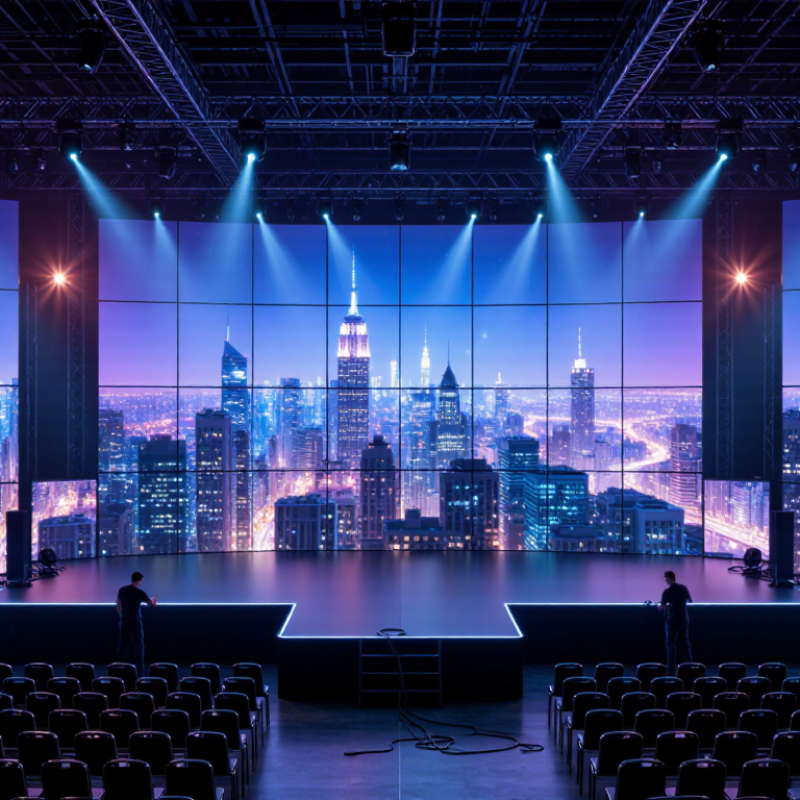
Stage LED screen rental usually covers more than the display panels. A complete package may include LED cabinets, a video processor, signal cables, power distribution, and the hardware needed to support or hang the screen. The exact setup depends on the venue, screen size, viewing distance, and whether the display is indoors or outdoors. Small detail, big difference.
A rental quote may also include delivery, assembly, testing, on-site operation, and removal after the event. Ask whether a technician will stay during the show; setup support and live troubleshooting are not always the same service. Content preparation matters, too. The provider may check file formats, resolution, and screen dimensions, then map the image so text and graphics fit the display. A useful test is to view a sample slide from the back of the room.
Confirm power requirements, access times, rigging responsibilities, and backup equipment before signing. These details can change the cost and schedule. The awkward part is that “full service” can mean different things. Request an itemized list, and clarify who handles problems if a cable fails or the screen loses signal. Even careful planning cannot remove every risk, but clear responsibilities make event day less uncertain.
How to Choose the Right LED Screen for an Event
Choosing a stage LED screen begins with the audience’s farthest seat, not the equipment list. Measure the viewing distance and stage width, then choose pixel pitch accordingly: tighter pitches preserve detail for close viewers, while larger pitches can suit distant audiences. Brightness matters. A bright screen can overpower a dim room, while daylight may wash out a screen that looks vivid indoors. Check the venue’s ambient light and request a test image at the actual viewing distance. Test it onsite.
Match the screen’s shape to the content and stage design. A wide screen may crop slides or leave portraits floating in empty space. For filmed events, ask the rental team to confirm refresh performance with the cameras; otherwise, moving lines or flicker may appear on video. Check power, rigging points, cable paths, setup time, and a backup plan before signing. AVIXA’s 2024 Industry Outlook and Trends Analysis forecast the professional audiovisual industry at $325 billion in 2024, rising to $402 billion by 2029. That broad market forecast is not a measure of event-screen quality, but it reflects a crowded equipment landscape. Compare specifications, not just screen size. I still find one detail easy to overlook: the crew needs enough time to focus and calibrate the wall after installation. A rushed setup can undo a careful choice.
How the Rental and Booking Process Works
A stage LED screen rental usually begins with a request for a quote. Share the event date, venue, screen dimensions, and audience size. Include the viewing distance; it helps the supplier recommend a suitable pixel pitch. Mention whether the screen is indoors or outdoors, and provide venue access times, power details, and content format if known. Small details matter. A room drawing or a few clear photos can prevent avoidable layout changes.
Ask what the quote includes: screen panels, processing equipment, delivery, installation, an on-site operator, and dismantling. Confirm setup and testing times, cancellation terms, and who handles content changes. Once the specifications and schedule are agreed, the booking is secured under the supplier’s written terms. Keep a named contact available as the event approaches. On site, technicians assemble the panels, connect the signal chain, and test playback before doors open. Then comes testing. Check text, colors, and brightness from the audience area, not only beside the control table. The process is rarely flawless; a late-running rehearsal or an overlooked cable route can cause stress. A final venue check helps catch these issues while there is still time to adjust.
How the Screen Is Installed and Operated
A stage LED screen rental begins with a site survey. The crew checks stage dimensions, viewing distance, access routes, power supply, and the structure supporting the cabinets. They assemble modular panels on ground supports or approved truss, then secure connections and route power and data cables separately. A tidy cable run helps, but it cannot replace checking every connector.
AVIXA’s 2024 Industry Outlook and Trends Analysis projects global professional audiovisual revenue will reach US$325 billion by 2029.
That growth makes skilled setup and operation increasingly important. Technicians configure the processor, map the screen’s resolution, and test playback before doors open. Then comes testing. They check for dark pixels, uneven color, flicker, and signal loss from the control position. During the event, operators monitor content, temperature, and connections, while keeping spare parts nearby.
Small faults matter. A loose data cable can interrupt a section just as guests look toward the stage. One detail worth reconsidering: a successful picture does not prove the rigging or power plan is sound. Final checks should cover both, with qualified crew following the equipment’s load and electrical requirements.
What Happens During Breakdown and Return
When an event ends, teardown begins only after the LED screen is powered down and allowed to cool. Technicians disconnect power and signal cables in a controlled order, checking each connection before it is packed. They remove panels from the frame with steady, even pressure; forcing a tight panel can damage its edges. Small parts matter. Mounting hardware, power supplies, and spare cables should be counted against the rental checklist. No rush. A missing adapter can delay the next setup.
Before cases are closed, the crew inspects panel surfaces, connectors, and cabinet corners for cracks, bent pins, or residue. Any issue should be photographed and recorded, even if it seems minor. Labels can peel off, and cables may look alike under dim venue lighting, so clear sorting helps prevent confusion at the warehouse. Equipment is placed in fitted cases, secured against movement, and loaded to avoid pressure on screen faces. On return, the rental team checks quantities and condition, compares notes with the pre-event inspection, and flags damage or missing items promptly. A rushed pack-out is easy to regret; a few extra minutes for a final count can save time later.
What Is Stage LED Screen Rental and How Does It Work? - What Happens During Breakdown and Return
| Breakdown Stage | What Happens | Typical Lead | Key Check | Why It Matters |
| Event sign-off | The event team confirms the screen can be taken down and agrees on access, loading, and collection arrangements. | Before breakdown begins | Show has ended; venue permits access to the screen area. | Avoids disrupting the event or starting work before the area is safe. |
| Power-down and disconnection | Technicians shut down the display system and disconnect power, signal, and control connections in an orderly sequence. | Usually first | Equipment is powered off and cables are identified before removal. | Reduces the risk of electrical hazards, cable damage, and lost connections. |
| Screen dismantling | The crew removes LED panels and supporting structures using the agreed method, such as ground-supported or flown installation procedures. | Duration depends on screen size and rigging | Follow the installation plan and applicable venue safety procedures. | Safe, systematic removal helps protect crew, venue, and rental equipment. |
| Cleaning and packing | Panels and accessories are checked for visible damage, then placed in suitable protective cases or packaging. | As items are removed | Keep connectors protected; separate and secure cables and accessories. | Proper packing helps prevent impact damage and makes equipment easier to count. |
| Inventory and load-out | The crew checks panels, processors, cables, power components, and cases against the equipment list before loading. | Before transport | Record missing items or visible damage and secure cases for transit. | A documented count helps resolve discrepancies during the return inspection. |
| Return inspection | After equipment reaches the rental provider, it is counted and inspected. Functional checks may be performed before equipment is prepared for future use. | After delivery to the depot | Compare returned items with the rental record and document any damage or shortage. | Confirms the condition and completeness of the returned rental equipment. |
Timing and procedures vary with screen size, mounting method, venue access, crew size, and the rental agreement.