
Buying Virtual Reality Devices can feel like choosing between impressive specifications and everyday comfort. A headset may promise sharp visuals, but its weight can become noticeable during a long session. Comfort matters. Check how the straps sit, whether glasses fit, and how easily you can adjust the lenses.
Small details shape the experience. Room lighting can affect some tracking systems, while a cable may limit movement in a compact living room. These factors are easy to overlook when product pages focus on resolution and refresh rates. Specs help, but they do not tell the whole story. Battery life, controller design, available games, and compatibility with a computer or console matter too.
Price deserves a closer look. A lower-cost headset may suit casual use, but required accessories or subscriptions can change the total cost. Check the manufacturer’s support information, warranty, and return policy before buying. If possible, try on a headset; a few minutes can reveal pressure points that reviews may not capture. The fit varies from person to person.
This guide shares ten practical tips for comparing Virtual Reality Devices, from display quality and tracking to comfort and long-term value. It also considers which features may be unnecessary for your needs. No single model suits everyone. That is the trade-off. A little research can prevent an expensive mismatch, though even careful comparisons cannot predict exactly how a device will feel at home.
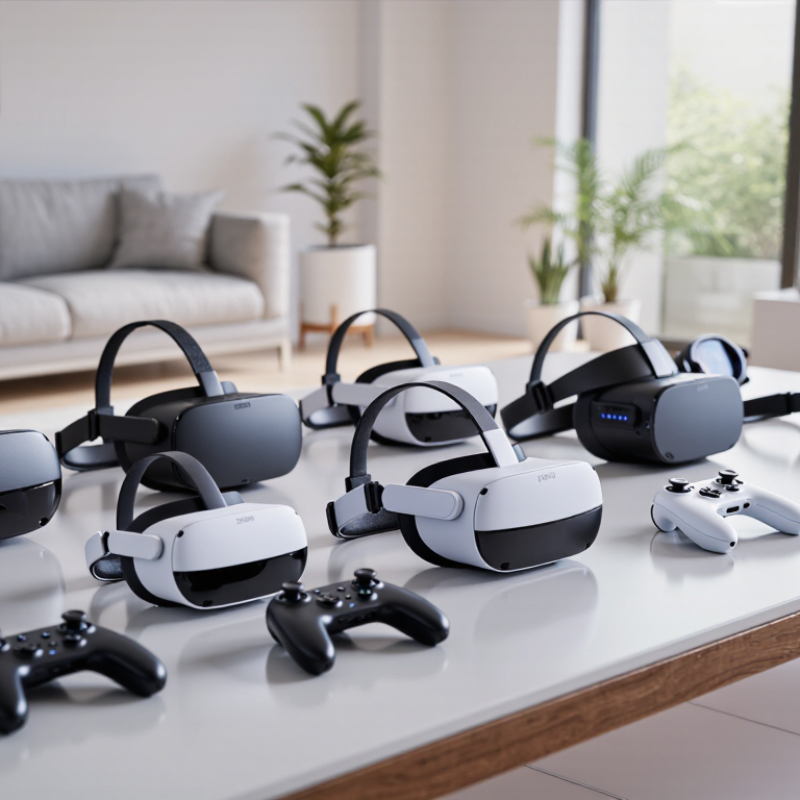
Before comparing devices, decide what you want virtual reality to help you do. Will you practice a presentation, explore a 3D design, exercise, or play games? Each use places different demands on comfort, tracking, room space, and setup time. A headset for short demonstrations may feel awkward during a one-hour training session. Write down where you will use it, who will use it, and how often. Small details matter.
For workplace training, check whether the device supports the specific tasks and software your team needs. PwC’s 2020 report, The Effectiveness of Virtual Reality Soft Skills Training in the Enterprise, found that learners trained in VR completed training up to four times faster than classroom learners. That result concerns the study’s training scenario, not every VR activity.
PwC’s 2019 Seeing Is Believing report projected that VR and augmented reality could add $1.5 trillion to global GDP by 2030. That is a broad economic forecast, not a promise of personal value.
Think about your actual surroundings. A small room, glasses, or shared equipment can change the experience more than a display specification suggests. If possible, test a device with the activity you intend to use. Notice pressure on your face after ten minutes, not just the first impression. It is easy to overvalue sharp visuals; I would not let that single metric decide. Your best choice may be the one you will comfortably use again.
VR devices fall into a few practical groups. Tethered headsets connect to a computer, usually by cable, and can support detailed graphics. They suit users with a capable computer and a clear play area. Standalone headsets run without a computer, so setup is simpler. No cable. Their battery life and processing limits matter during longer sessions.
Some older viewers use a smartphone as the screen; check app support before considering one. Mixed-reality headsets show a camera view of your room alongside digital objects. This feature can be useful, but it often appears in standalone devices, so categories overlap. IDC’s Worldwide Quarterly AR/VR Headset Tracker forecast 8.1 million global AR/VR headset shipments in 2023, down 8.3% from 2022, then forecast 46.4% growth for 2024. These are forecasts, not proof that every type will suit every buyer. Try a headset if possible. Check how it rests on your face, whether glasses fit, and whether tracking works in your room. A fast spec sheet can mislead. Comfort is easy to underestimate.
Before choosing a virtual reality device, check its exact hardware requirements against the computer or console you already own. Compare the required processor, graphics capability, memory, operating system, and connection ports with your system’s specifications. A laptop’s graphics label can be misleading; performance depends on the specific component and cooling capacity. Read the device maker’s current setup guide, since requirements differ between models and software updates. For wireless use, check your home network and where the router sits. A weak signal in the room can cause interruptions, even when the headset itself is suitable.
Measure your play area, not just the empty patch of floor. Leave room to turn, reach, and step safely, and move low tables, cables, and fragile objects out of the way. Measure it twice. Check ceiling height too, especially if you plan to reach overhead. Some devices track movement with cameras or external sensors, so review their placement needs and avoid blocked views. Bright windows, mirrors, and reflective surfaces may also affect tracking in certain setups. I still find room planning easy to underestimate: a space that looks generous while seated can feel cramped once you are standing and moving. Try marking the usable area with tape before you buy.
A virtual reality display can look sharp on paper and still feel uncomfortable after ten minutes. Check resolution per eye, refresh rate, and lens clarity, but judge them together. Fine text should remain readable when you glance sideways, not only at the center. Also check whether the headset adjusts for your eye spacing. A narrow sweet spot can make a costly device frustrating. Try it on, if possible. Specs are only part of the picture.
Tip: Test tracking in a bright, ordinary room. Inside-out cameras are convenient, but hands may disappear when held close to your face or behind your body. Move slowly, then reach overhead and across your chest. Notice any jitter or delayed response. Room setup matters. A tidy demo area may hide tracking problems you will meet at home.
Tip: Hold each controller for several minutes. Check button reach, grip pressure, trigger travel, and whether the wrist straps feel secure. Haptics should feel distinct, not merely loud. Ask how long typical play lasts before charging, and whether batteries are replaceable. Comfort is personal, so one short test may not settle it. I would compare the same simple task, such as picking up a virtual cup, across devices. That small test can reveal awkward controls better than a feature list.
| Tip | Feature to Compare | What to Check | Practical Guidance | Why It Matters |
|---|---|---|---|---|
| 1 | Resolution per eye | Compare the stated pixel resolution for each eye, not only the combined display resolution. | Higher resolution can make fine details clearer, but perceived sharpness also depends on lenses, rendering quality, and fit. | Useful for reading text, viewing detailed environments, and reducing visible pixel structure. |
| 2 | Refresh rate | Check the supported refresh rates and whether they apply to the content and connection you plan to use. | VR devices commonly support refresh rates in the 72–120 Hz range; availability varies by device and mode. | A higher refresh rate can make motion look smoother, though it may require more processing power. |
| 3 | Field of view | Look for the manufacturer’s horizontal and vertical field-of-view figures, if provided. | Wider stated values may increase peripheral immersion, but face shape, headset fit, and lens position affect what each person sees. | Specifications alone do not guarantee a wider view for every wearer. |
| 4 | Lens clarity and adjustment | Check for adjustable lens spacing or a clearly stated interpupillary distance range, plus the available eye relief adjustments. | If possible, try the headset with your usual glasses or prescription inserts before buying. | Correct alignment helps keep the image clear and can improve comfort during longer sessions. |
| 5 | Tracking method | Compare inside-out tracking, which uses cameras on the headset, with systems that rely on external tracking equipment. | Inside-out tracking is easier to set up; tracking quality can still depend on lighting, camera visibility, and room conditions. | Tracking affects how accurately the headset follows head and body movement. |
| 6 | Controller tracking | Check whether controllers are tracked by headset cameras, external sensors, or another method, and whether hand tracking is supported. | Confirm that the tracking method suits your play area and the types of games or applications you use. | Occlusion or movement outside a sensor’s view can affect controller tracking in some setups. |
| 7 | Controller features | Compare button layout, thumbsticks, triggers, grip controls, haptics, and battery or charging arrangements. | Check that the controls match the applications you want to use; hand tracking may not replace controllers in every application. | Comfortable, responsive controls make interaction easier and can reduce fatigue. |
| 8 | Wired or wireless use | Determine whether the headset works independently, requires a computer or console, or supports both standalone and tethered use. | For wireless PC streaming, check network requirements and remember that performance depends on the network and computer. | Connection type affects setup, freedom of movement, and the range of available content. |
| 9 | Fit, weight, and battery | Compare total weight, weight distribution, facial interface options, and battery life claims for the intended use. | Standalone headset battery life varies with workload, settings, and accessories; comfort is best assessed with a hands-on fit test. | A balanced fit and suitable battery arrangements can make longer sessions more practical. |
| 10 | Room setup and safety | Check the recommended play area, boundary or guardian features, passthrough view, and any external equipment requirements. | Clear obstacles, follow the device’s setup guidance, and use a seated mode when the available space is limited. | Room awareness and a suitable play area help reduce the risk of collisions and interruptions. |
Comfort is not a showroom detail; it decides whether a headset gets used. Check its weight balance, facial pressure, glasses clearance, and adjustable lens spacing. If possible, wear it for 20 minutes, not two. Small pressure points matter. Notice heat around your cheeks and whether the strap slips when you look down. A device that feels fine while standing may pinch during a longer seated session. I would not trust a quick try-on alone; comfort can change with hair, glasses, and fit adjustments.
Setup and total cost deserve the same scrutiny. Measure your play area, check whether you need a computer or console, and confirm your Wi-Fi can reach the room. Then price the essentials: a carrying case, replacement face pad, prescription inserts, and any paid software. IDC’s Worldwide Quarterly AR/VR Headset Tracker reported 8.1 million global AR/VR headset shipments in 2023, down 23.5% from 2022. That market shift is a reason to assess ongoing support and useful content, not just a sale price. Write down the full first-year cost. I learned that late. A low upfront price can still mean extra equipment, subscriptions, or setup time.